

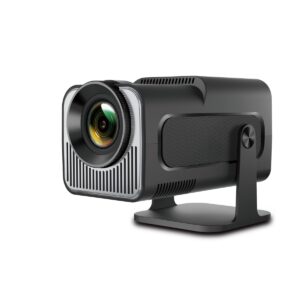
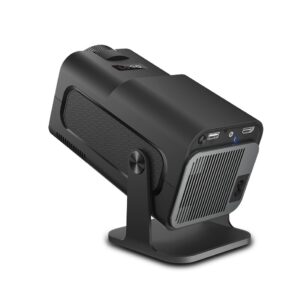
WiFi Projector
HY320 Mini WiFi Projector, 720p, Dual Wi-Fi 6, Bluetooth 5.0
Mini Portable Projectors
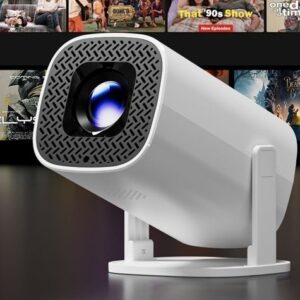

Mini Portable Projectors


Mini Portable Projectors
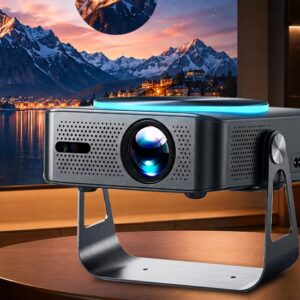
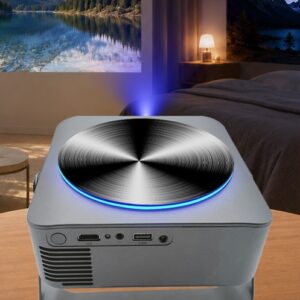
Mini WiFi Projector, Wi-Fi 6, 600 ANSI, Native 1080p, Two Versions
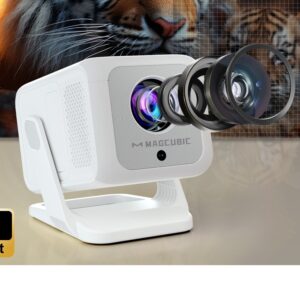
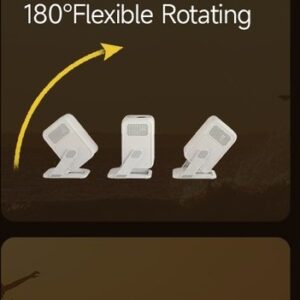
Mini Portable Projectors
Why go through the wireless network
- No cable to run. The projector sits where the throw distance requires, the source stays in your hand.
- The source can change hands. Everyone casts from their own device, without unplugging anything.
- Apps play directly. On a model with a built-in system, there is not even a source to connect any more.
- Storage is simpler. One device, one mains plug, nothing else to find in a drawer.
Buying guide: what the product page must tell you
The casting method. Mirroring a phone screen and playing an app installed on the projector are two different things. Some video on demand apps block screen mirroring for rights reasons, and no setting gets around that. The product page states what the supplier declares. For a projector that installs its own apps, see this Android mini projector with dual Wi-Fi 6.
The native resolution. This is the resolution of the panel, not to be confused with the maximum resolution accepted as input. A projector that accepts a 4K signal can perfectly well display it at a lower resolution. This Wi-Fi 6 mini projector with a native 1080p panel states its real panel resolution.
Latency. A wireless link adds a delay between the source and the picture. Irrelevant for a film, annoying for a game. No value is guaranteed here, it depends on the network as much as on the projector.
See also: mini portable projectors to carry around, and 4K projectors for resolution.
Frequently asked questions
Do I need an internet connection?
For casting from a device on the same network, no: a local access point is enough. For apps installed on the projector, yes.
Why does my app refuse screen mirroring?
Some platforms block screen mirroring to protect their content. The solution is an app installed on the projector or a wired link, not a setting.
Is the wireless picture worse?
It can stutter if the network is busy or the signal is weak. The resolution itself does not change. Moving the access point closer solves most cases.
Does the sound go through too?
Yes, together with the picture over the same link. To send the sound to a separate speaker, check what the product page announces about the available outputs.
Can I still plug in a cable?
Yes on almost every model, as they keep at least one wired input. It remains the most stable solution when the network lets you down.